Retrieving Keystroke Data Over Wi-Fi
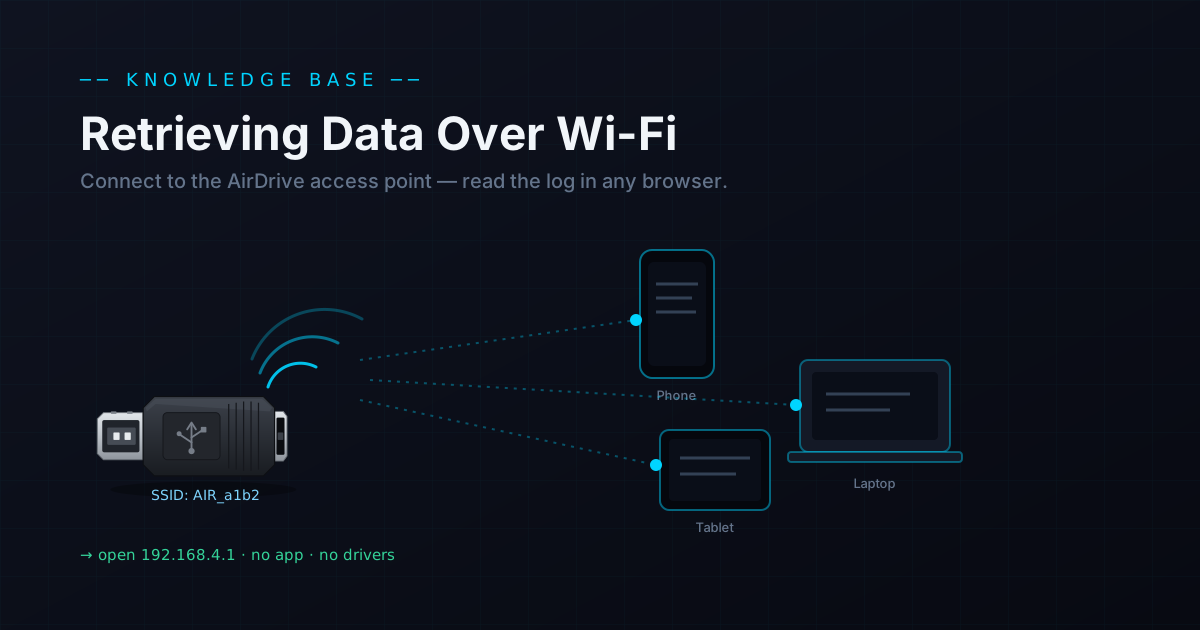
AirDrive keyloggers host their own Wi-Fi access point. Connect any phone, tablet or laptop, open 192.168.4.1 in a browser, and read or download the log — no software, no contact.
The defining feature of the AirDrive line is wireless retrieval. Instead of unplugging the device to read it, you connect over Wi-Fi and view the log in a browser — from a phone, tablet or laptop, without ever touching the device again.
How it works
Every AirDrive contains a built-in wireless transceiver, access point and TCP/IP stack. Once powered, it broadcasts its own network. You join that network and open a fixed address to reach the log, settings and options.
Three steps to the log
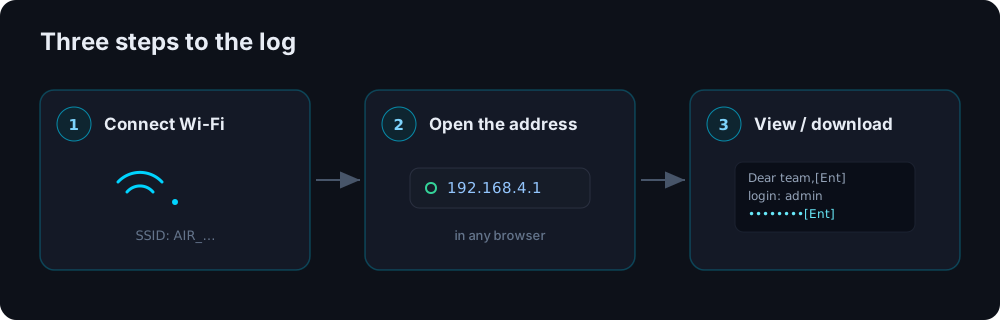
- Connect to the access point — the network name (SSID) starts with
AIR_…and is, by default, an open network with no password. - Open
192.168.4.1in any browser (Edge, Chrome, or your device's default). - View or download the log — you'll see the AirDrive home page with the captured keystrokes and all settings.
A couple of things to expect
- Your internet drops while connected. The AirDrive has no internet of its own, so joining it breaks your normal connection. Some phones notice the lack of internet and quietly switch back to your previous network — check you're still on
AIR_…. - Special keys are tagged. Non-printable keys appear as short codes like
[Ent],[Tab]and[Ctl], so the session reads back cleanly.
Stealth note
Wi-Fi is convenient, but every wireless device leaves some minor trace on the air — even with options like a hidden SSID. Where a radio signature is unacceptable, the offline KeyGrabber line emits nothing and is read as a USB flash drive instead.
Going further with Pro / Max
Base models retrieve over the local access point. Pro and Max models add remote options — the device can join your existing Wi-Fi and live-stream keystrokes, so you can keep track from anywhere.
Bottom line
AirDrive retrieval is as simple as joining a Wi-Fi network and opening a web page — no app, no drivers, no physical contact. See the full range or compare it with offline retrieval in AirDrive vs KeyGrabber.
Authorized use only. Retrieve data only from devices you own or are authorized to monitor.